
Jan Merhar
Sending an email to Santa
Remember when you were a child and every Christmas you wrote a letter to Santa asking him for a gift of your choice. Once you have written the letter, you grabbed an envelope and then wrote in the recipient field “Santa”. And finally, you sealed the envelope and brought this letter to your local post office to be sent. Voila! - on the 25th there was a set of the brand new LEGOs under the Christmas tree - exactly the one you had wanted. Which is weird, not because Santa does not exist, but because no regular post office delivers mail in one day to the North Pole📍.
Can we use email instead?
If you have decided to send your letter at the last possible moment, it might not get delivered in time for the gifting season, and at this point you might start considering some alternative methods of communication. Jokes aside, you can attempt to send an email to any address, but on the real internet it may be rejected or bounced. In a local test setup like MailHog, the server will happily accept it so we can inspect what was sent.
The email protocol is quite basic and simple. It also lacks many checks that ensure security and successful delivery. Although nowadays we have many email service providers that have introduced new safety features, which provide secure and reliable communication, we simply cannot live without them. In this post, we will take advantage of this simplicity and attempt to deliver an email to Santa.
Prerequisites
The goal of this experiment is that Santa receives an email and be able to read it (and hopefully deliver the gifts). Sending an email to an email inbox named santa won’t work, but you can achieve this in a local test environment.
We will have to prepare an SMTP mail server and capture any email directed for the email handle santa. To achieve this, we need a server that supplies server instances and supports custom email addresses. A project like mailhog/MailHog would be a good match as it also offers a web UI where we can then read the message addressed to Santa and assess if he received our wish.
Prepare MailHog server
One of the simplest ways of setting up the MailHog server is by utilizing Docker🐳. Even easier is if we use Docker compose. So here is a simple docker-compose.yml configuration.
services:
  mailhog:
    image: mailhog/mailhog:latest
    ports:
      - "1025:1025"
      - "8025:8025"
Port 1025 represents the SMTP server endpoint, while port 8025 represents the web UI endpoint where we will read the sent email.
Sending an email
To send an email, we may utilize telnet rather than an established mailbox UI. The telnet would connect to our newly set up SMTP server. After establishing the connection, we can send a minimal email, including our message to Santa. While we type in the commands, we need to type everything correctly and without mistakes as telnet may not support character deletion. This format is also pre-defined and needs to be followed thoroughly.
telnet localhost 1025
Once you are connected, it is time to "speak SMTP". Here is a simple plain-text email, complete with headers, that we will type in and send to the local mail server.
EHLO localhost
MAIL FROM:<jan@janmerhar.com>
RCPT TO:<santa>
DATA
From: Jan Merhar
To: Santa
Subject: Letter to Santa

Dear Santa,

this year I wish for the newest set of LEGOs, please.

Best,
Jan Merhar
.
QUIT
Reading the email
MailHog offers a simple web UI that is used primarily for testing purposes. This web UI acts as an all-in-one inbox that receives each and every one of emails sent via this mail server. This testing feature allows us to have a quick test to software developers who need to assess if their application works correctly. In our case, this acts as Santa's inbox🎅📬. We can access his inbox in our browser at http://localhost:8025.
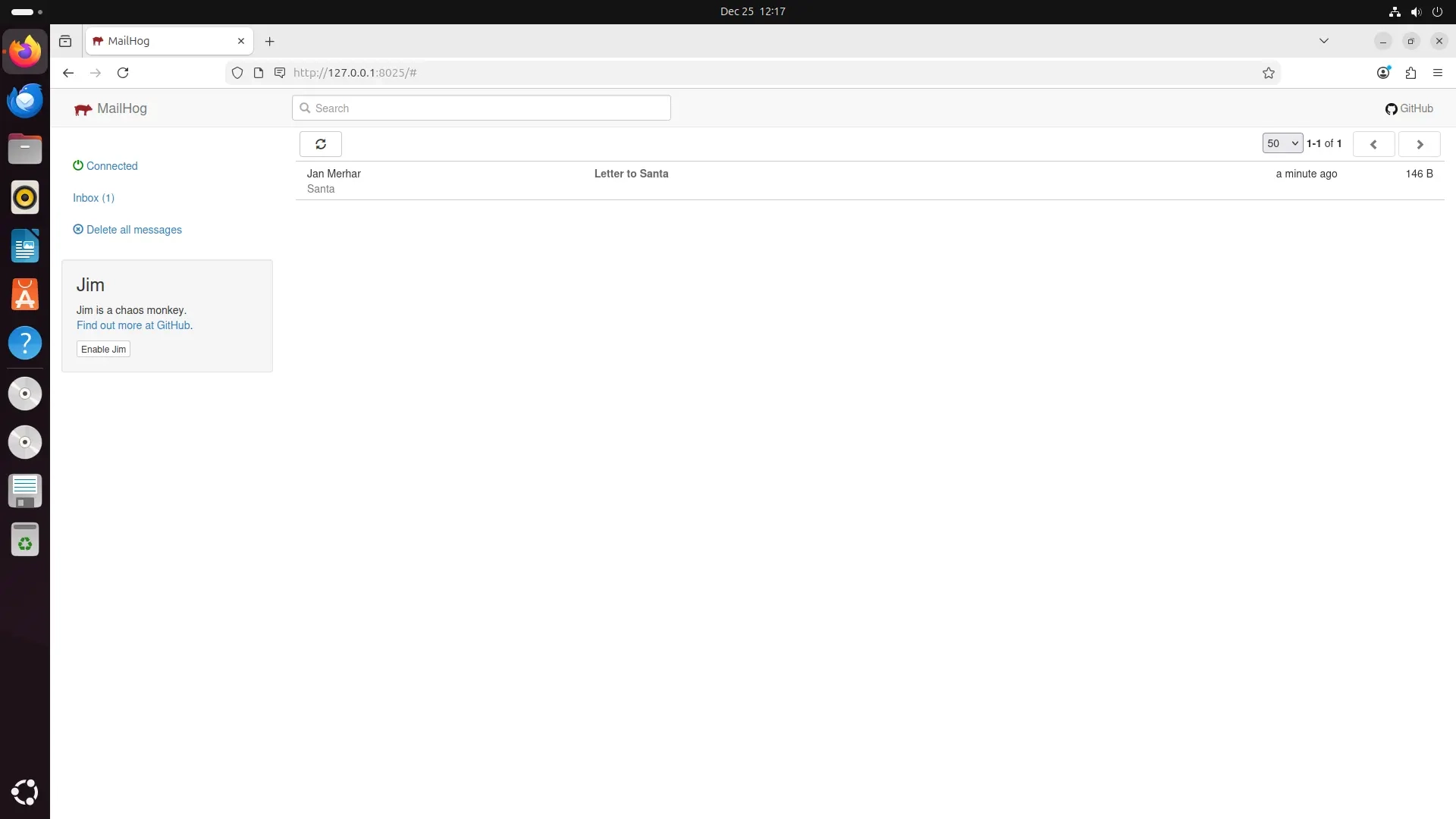
Once we have opened the inbox, we can see that there is a brand new email addressed to Santa himself waiting to be opened.
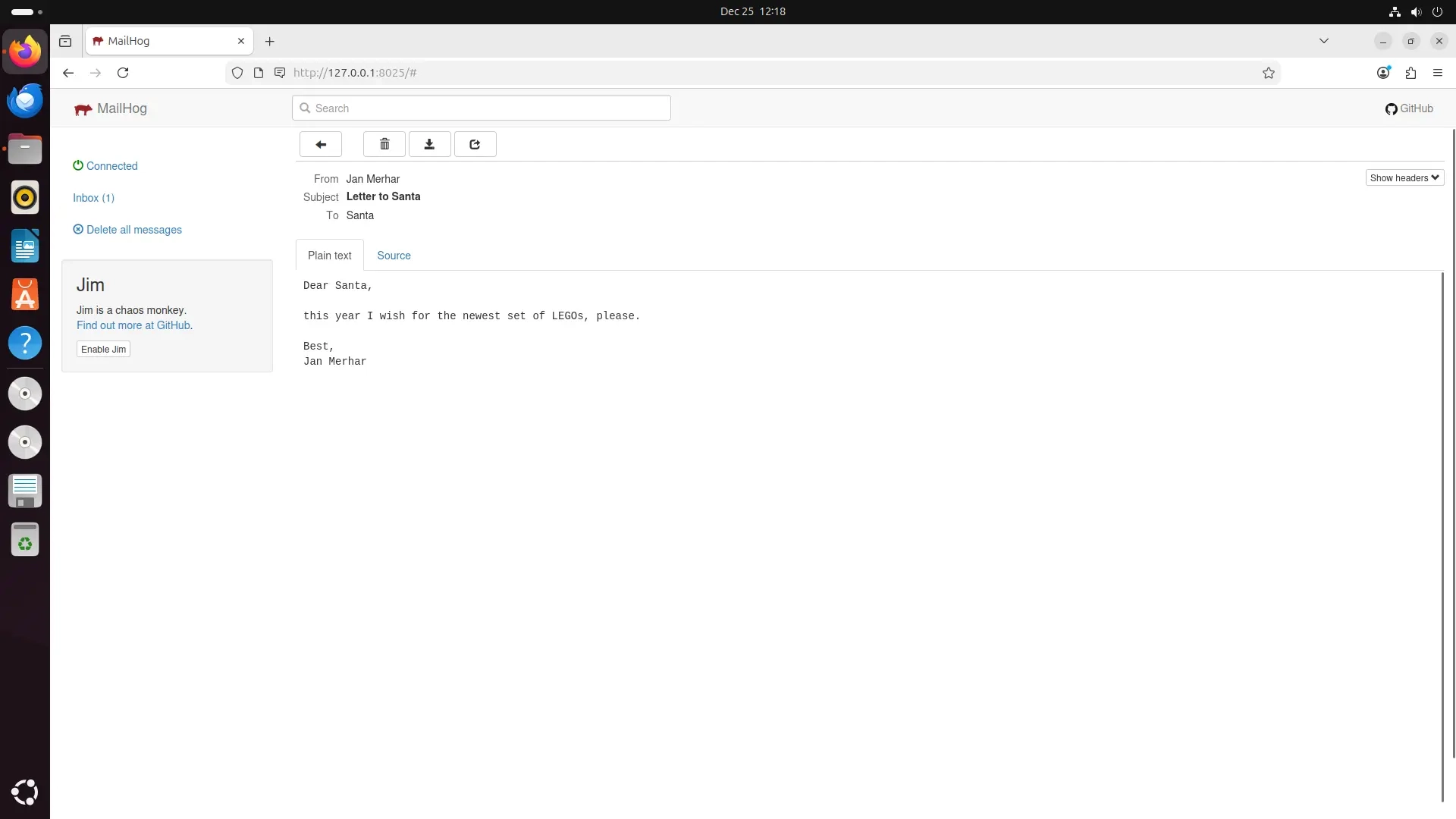
And once opened, we can read the email contents and even the email’s structure itself! Here we can check that the data we sent via connection using telnet to the mail server matches what we typed, meaning the email was received successfully.
Will Santa be coming home this year
Although Santa’s inbox might be busy this time of the year, there is still hope he receives our mail. Sending a physical letter might take a long time, but thankfully we have just familiarized ourselves with email delivery.
Hopefully, Santa will have an easier time reading emails than opening every physical letter he receives. Regardless, this was a nice brief introduction to how emails work, and I hope you learned something new.
Merry Christmas everybody!🎅✨
2025-12-25